
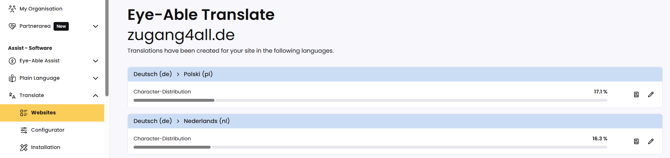
In the Eye-Able Dashboard, you can view, for each website, how the translated characters are distributed as a percentage across the individual target languages.
How to find the character distribution
Follow these steps to view the character distribution of a website:
- Open the Eye-Able Dashboard and navigate to Translate. There, select the Websites submenu.
- Click on the desired website.
- For each language into which content has already been translated, the character distribution is displayed.
What does the character distribution mean?
The percentage shown indicates what proportion of all translations created for this website is accounted for by each language. This lets you see at a glance which languages have had a particularly high proportion of characters translated.
Further information
These articles on the topic of Translate might also be of interest to you:
- Product overview of Eye-Able Translate
- What happens when the character limit for Translate is reached?
If you have any further questions, feel free to consult the Contact options for customers and interested parties.