
Via the API of Eye-Able Report, you can query results and start new scans.
Requirements
To make API calls, you need your API key and the Report ID.
To find out where to find your API key, see the article Finding your API key.
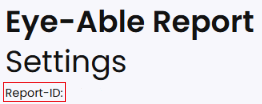
You can find the Report ID in the Report settings in the Dashboard:
Starting a new scan
You can use the API to start a new scan, for example automatically after a deployment.
Available report results
Which Report results are returned depends on the conformance level set in the Dashboard. The retrieved results include, among other things:
- the overall rating
- the rating by WCAG level
- the most common errors
- the error list with responsibility and effort per error
- a page overview with a rating and screenshot per page
The results can be output in nine languages.
Selecting a Report by date
You can choose which Report is returned. To do this, select a date on which a Report was created.
Reusing the results
The results are returned in JSON format. This means you can, for example, transfer them to your own dashboards or tickets, or use them as a check before publication.
Further information on using the API
All relevant information on using the API and retrieving the data can be found in the API documentation. You can request it via Contact details for customers and interested parties.