
Features
Eye-Able Translate offers the ability to automatically translate text elements on a website into over 50 languages. An overview of the available languages can be found both in the configurator on the dashboard and in the following article:
Translations take place in real time, with previously translated texts being stored in the cache, thereby reducing both character usage and processing time.
Further features of Eye-Able Translate:
- Management and manual editing of translations
- Filter option to restrict the text elements or URLs to be translated
Installation and Integration
Integrating Eye-Able Translate into your own website can be done in just a few steps.
To do this, insert the following script into the header section of your website:<script async src="https://translate-cdn.eye-able.com/eye-able-translate.js"></script>
Detailed step-by-step instructions for installation can be found in the following article:
Important: If you are also using the Eye-Able Plain Language translation module, the script should only be included once. Both modules use the same script.
Customisation options
Three different design options are available for the Eye-Able Translate module:
| Icon and text | 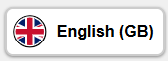 |
| Icon only |  |
| Text only |  |
These can be customised – including their position and colour – to suit your own preferences and requirements.
You can make these adjustments yourself in the Translate Configurator within the Eye-Able Dashboard.
In addition, you can create a custom button for Translate to fully adapt it to your website’s design and, if desired, embed it directly into the page navigation.
Further information on this can be found in the following article:
Further information on the general customisation options for Eye-Able Translate is also available under Features & Features | Translate.
Editing translations
This allows you to adapt the translations to the desired tone and style, if required.
In addition, there is the glossary function. Whilst manual editing only affects individual translations, the glossary allows you to store fixed translations for specific terms. This ensures that proper nouns, brand names and technical terms are always used consistently and in accordance with your specifications in all current and future translations.

Technical Basis
Eye-Able Translate uses AI models from DeepL and Google Translate for its translations. These models are specifically designed to translate texts in a grammatically correct and contextually appropriate manner. If a language is not supported by DeepL, Google Translate is automatically used instead.
Further information on this can be found in the following article:
Data Protection
At Eye-Able Translate, all data is processed on European servers to comply with the requirements of the General Data Protection Regulation (GDPR).
Further information on data processing can be found in the following article: