
You can find your API key in two places: in the Eye-Able Dashboard and in your welcome email.
API key in the Eye-Able Dashboard
-
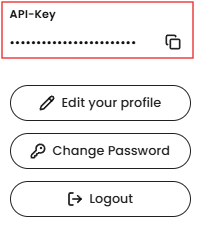
Click your profile in the top right corner of the dashboard.

- Your API key is shown there.
API key in the welcome email
Your API key is also your initial password for the Eye-Able Dashboard. That’s why it’s in the welcome email you received when your account was created.
Further help
If you need further assistance, you can contact support using the Contact details for customers and interested parties.