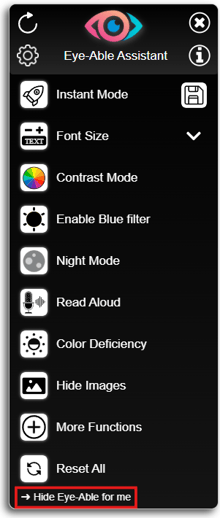
Yes, the Eye-Able Assist icon can be hidden.
On a website on which Assist is integrated, you can click on ‘Hide Eye-Able for me’ at the bottom of the open toolbar.
If you still want to use the Assist functions, you can do so using keyboard shortcuts and reopen the toolbar with the key combination ‘Alt + 1’.
It is also possible to move the icon along the vertical axis using drag & drop. To do this, hold down the left mouse button on the icon for one second.