
This article explains how to specify individual pages for ongoing testing in the Eye-Able Report settings.
Specify pages for continuous testing
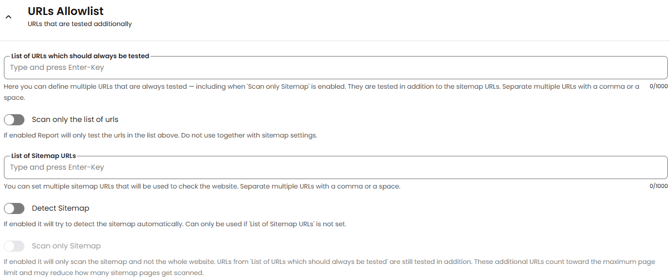
In the Eye-Able Report settings, under the “URLs Allowlist” group, you can specify certain pages or sitemaps that should always be tested. To do this, enter the full URL or a list of sitemap URLs and confirm by pressing the Enter key.
Save settings
To save your settings, click the “Save Settings” button at the bottom of the page.
Articles on similar topics
In this article, you'll find more information on related topics:
How can I filter my subpages to show the pages with the most traffic in the report?