
Overview
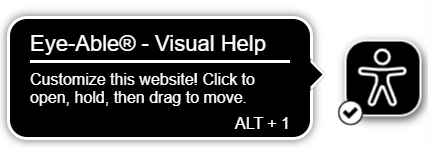
The text of the Main Tooltip in Assist can be adjusted using a simple code snippet. This method shortens the tooltip text for all languages. After applying the changes, the tooltip will display only the text "Visual Help | Alt+1".
Requirements
-
Assist is already correctly integrated on your website.
-
The code must be inserted below the Assist integration code.
Implementation
Code Snippet to Shorten the Main Tooltip
Insert the following code below the Assist integration code:
<script>
document.addEventListener("eyeable:init_completed", function () {
eyeAble_lang.tipMainTxt ="";
});
</script>
Result
After adding the code snippet, the text of the Main Tooltip will be shortened for all languages and will read:
"Visual Help | Alt+1"